Showcase Videos

Minecraft Bedrock edition


Discover infinite worlds and build everything from a simple home to reliable castles. Play in creative mode with unlimited resources, or dig deep into the world in survival mode while crafting weapons and armor to fend off dangerous creatures. Create, explore and survive on your own or play with friends on all different devices. Climb rugged mountains, explore vast caves and mine large veins of ore. Explore lush cave and stalactite cave biomes. Light up your world with candles to show what a savvy caver and master mountaineer you are.

Minecraft bedrock is compatibility with phones, pcs, tablets, tv's and lots more....
SUBSCRIBE FOR MORE NEWS AND UPDATES!

Download and Installation

  1. Download the latest Minecraft appx file below shytz.net
  2. Download 7zip and install it. Right click on the file, on 7 zip and click "extract here"
  3. Open the folder and run the appx
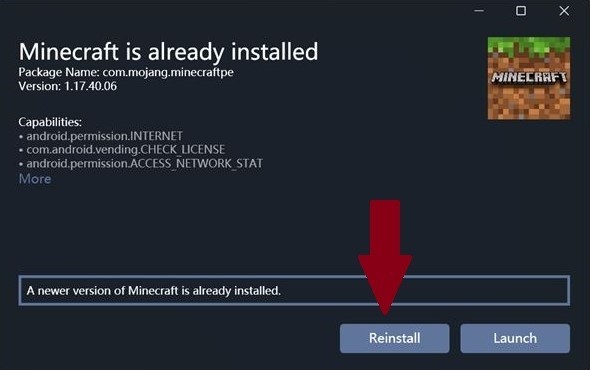
  4. Press "Install" or "Reinstall" depends if you already have minecraft


These are Minecraft versions for the tutorial above (Normal Minecraft).

IOS Installation guide

Simple and clear tutorial on how to install minecraft on ios

  1. First of all, download and install Sideloadly on your PC and the newest Minecraft
  2. Run sideloadly, insert the minecraft ipa and log in with your apple id
  3. Press "start" and wait for the installation to finish... Minecraft is on your device. Congratulation!

NEED FURTHER HELP WITH INSTALLATION?

If you need help with installation or you have mod suggestions for our future mod list updates, please join Ultimate Immersion’s Discord below.